
What you'll need
- CableCat5e or Cat6 ethernet cable, under 100 m per run.
- PowerActive PoE injector (1 camera) or active PoE+ switch — IEEE 802.3at — for multiple cameras. Budget ~25 W per camera.
- InternetMin. 20 Mbps upload per camera for 4K (e.g. 10 cameras → 200 Mbps). Lower bandwidth auto-downscales the resolution.
Bandwidth and power requirements
The Clutch Cam needs a minimum of 27 W of power and 20 Mbps upload speed per camera to reliably stream 4K video and process recordings with AI. This scales linearly with each camera — meaning that if you have e.g. 10 cameras, your router will need a minimum of 200 Mbps upload speed.
You can test your internet speed here.
Internet through Power over Ethernet (PoE)
To connect the camera to PoE, simply insert a PoE-enabled ethernet cable (Cat5e or Cat6) to the ethernet port on the back of the camera. It's important that the cables used are less than 100 metres, otherwise the cameras may not receive sufficient power or signal.
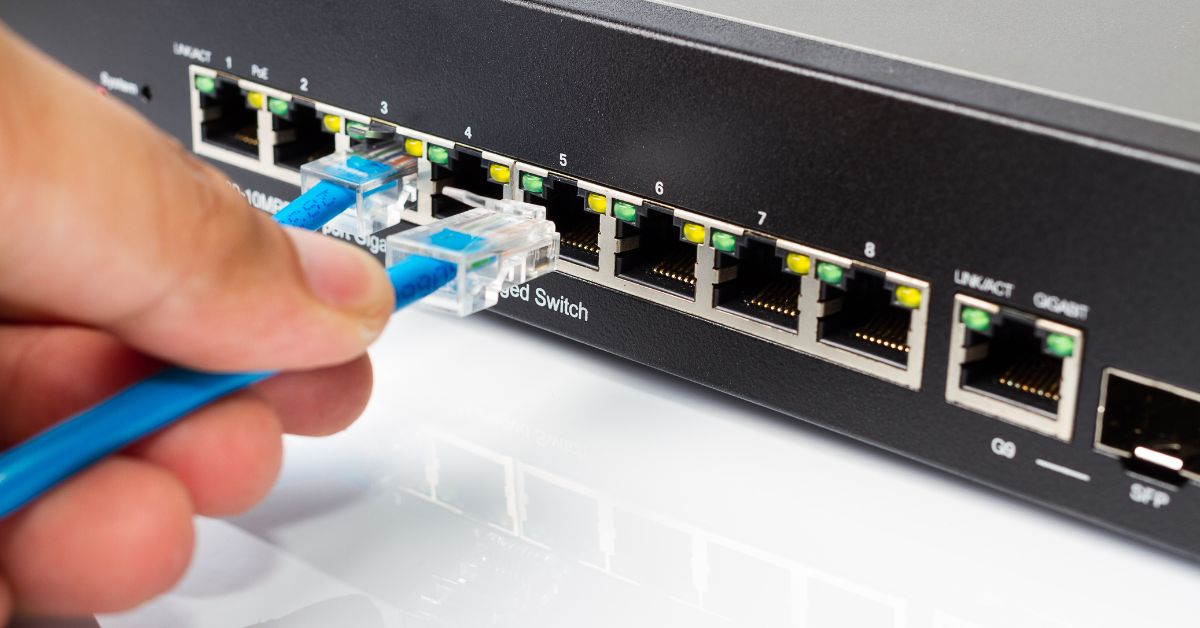
The cables need to be "injected" with power — either with a PoE injector (when powering only one camera) or a PoE switch (when powering multiple cameras). In both cases, a standard unpowered ethernet cable is fed from the router to the injector / switch.
Powering a single camera through PoE
To power a single camera, an active PoE injector is needed. We use this for our testing.
Powering multiple cameras through PoE
When looking at switches, you should check 3 things:
- Does it support PoE?
- Is the switch active or passive?
- What is the total power budget of the switch — i.e. how many cameras can it deliver power to?
For powering multiple devices, a PoE switch is needed. The Clutch Cam must be connected to an active PoE+ (IEEE 802.3at) switch; passive PoE is not supported and may damage the device. Each camera requires ~25 W on its port, so the switch's total PoE power budget must be sufficient for the number of cameras connected (e.g. 4 cameras ≈ 100 W total). Ensure the switch is not oversubscribed, meaning its uplink and PoE budget can support all cameras streaming simultaneously without reduced performance. An example is this.
To check that the PoE setup is correct, you should see both a green indicator light on the switch / injector, as well as a faint red LED from the back of the camera.