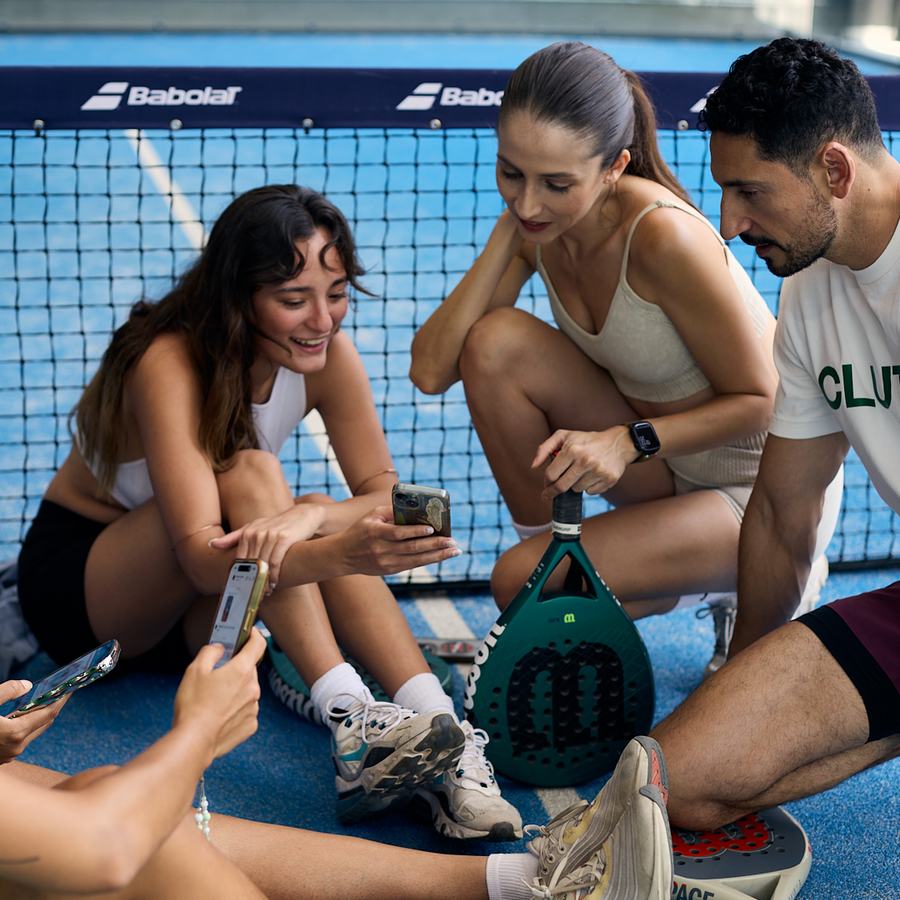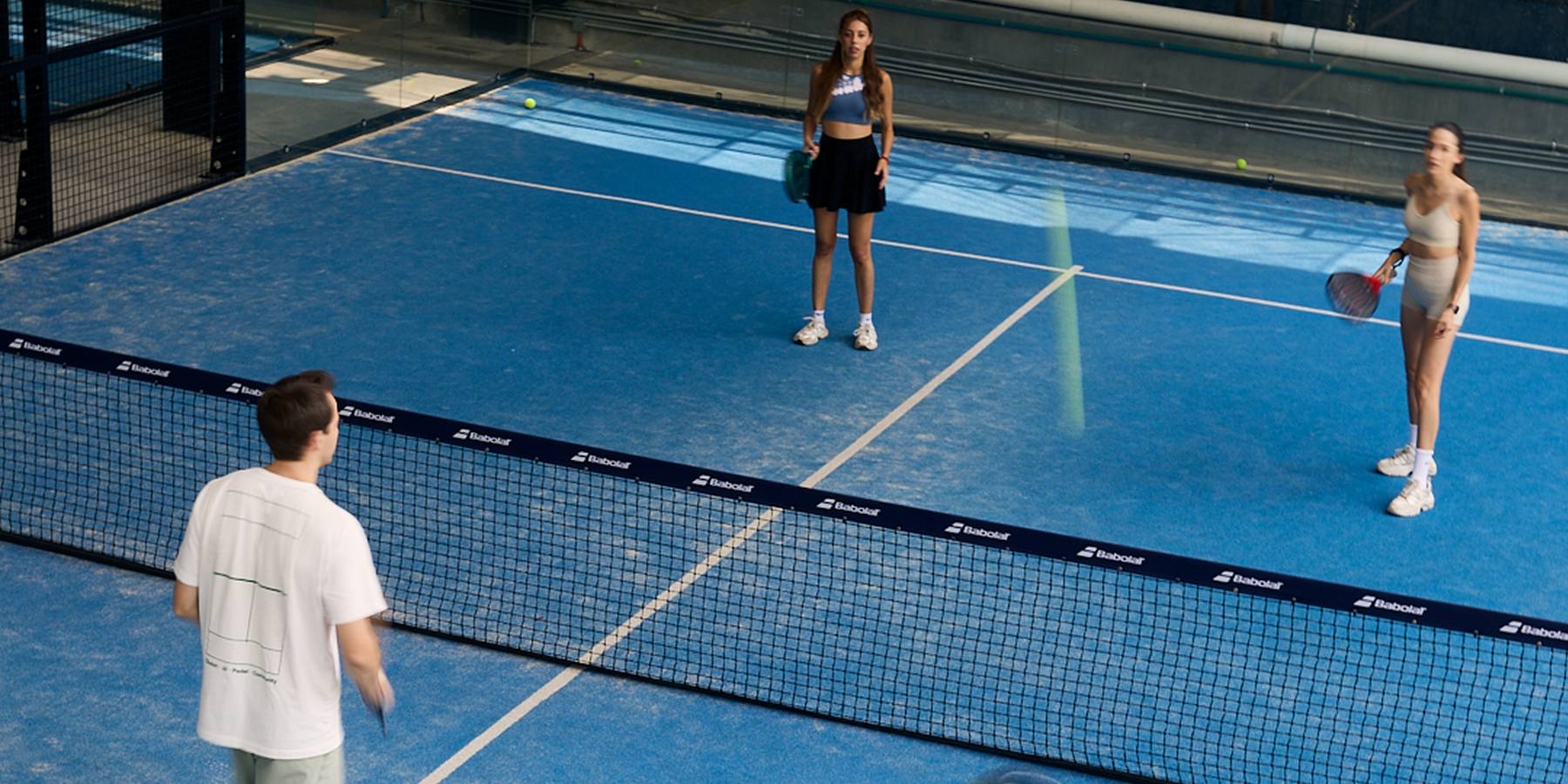
Four players on a padel court, seen from the camera position behind the baseline
Guide · Cameras · Padel

Popular Padel Camera Systems in 2026: Clutch, Wingfield, PlaySight & More

Clutch and the nine other systems clubs ask us about, side by side. There’s a lot of ground between a security camera that’s good for clips and a full AI coaching and engagement platform, and the right one depends on what you want the camera to do for your club. Here is how they compare on clips, AI, streaming, hardware and price.

The ten
  1. Clutch full engagement and retention system: automatic highlights, contextual coaching, ratings, leaderboards, social
  2. aiball player-first AI stats: 0–7 player level, highlight reels, AI recommendations
  3. PlaySight multi-angle coaching: several cameras per court, slow motion, coach markup
  4. Wingfield court-side screen: automatic highlights, player ratings, club rankings, challenges
  5. Spash big-screen system: two 32-inch touchscreens in the glass, tactical stats
  6. Grábala button replay with a club TV: unlimited presses, VAR and scoreboard, sponsors in the video
  7. PUSHIT press-to-save replay: button on the net, vertical clips, published prices
  8. MATCHi TV streaming platform: players can start a livestream, lowest published price
  9. Beelup basic recording: match online in ten minutes, players cut their own clips, access control per court
  10. ReplayMe replay and livestream app: players access their recordings, popular in Brazil
The short answer

Different clubs need different things, and they shouldn’t buy the same camera.

Some just want a simple push-button highlight for a bit of extra marketing. Some want every match streamed. Others want to be the club players talk about, with coaching, rankings, competitions and the match on the lounge TV. All of those are valid. In this guide we break down the market by primary use case and compare what each system offers.

If you wantclips for marketing, and to pay lessA button on the net, a clip on the phone, a replay on the lounge TV. Basic clips, cheaply.Grábala · PUSHIT · ReplayMe
If you wantcoaching tools and analyticsSeveral angles, slow motion, coach markup, shot analytics, ratings, a screen on court.Wingfield · PlaySight · Spash · aiball · Clutch
If you wantdeeper engagement and retentionAutomatic highlights, AI coaching, ratings, leaderboards, social and community features and club TV in one platform.Clutch
Our selection

Why we chose these 10 systems

These are the padel camera systems we regularly hear about in conversations with club owners, coaches, and players around the world. Rather than ranking them from best to worst, we've compared their features, pricing, and primary use cases to help you understand the differences and decide which is right for your club.

Transparency: This guide was written by the team at Clutch. We've included our own system alongside competitors and aimed to represent each platform fairly using publicly available information.

Start here

Four primary use cases

They all start with a camera on the court. What they do with the footage is what you’re paying for. These categories describe what each system is mainly built for, not levels of quality, and most systems sit in more than one.

Use case

Recording & Streaming

Matches recorded or streamed so they exist

The camera films the match and either streams it or posts it to an app, so players can rewatch the whole game and clubs can show it on a screen or sell a sponsor spot on the stream. MATCHi TV and Beelup are built around this; most other systems here also stream.

Strong here
MATCHi TVBeelupReplayMePlaySightaiballWingfieldSpashGrábalaClutch
Use case

Instant Replays & Video Sharing

A clip on the phone and the lounge TV

A player saves the last rally with a button, a screen tap, a smartwatch or a gesture, or software keeps it automatically. The clip lands on their phone, often cropped vertical for social, and the lounge TV can replay it. Button-led systems are simple and good value; the catch is that if nobody presses, the point isn’t saved.

Strong here
PUSHITGrábalaReplayMeSpashWingfieldaiballPlaySightBeelupClutch
Use case

AI Analytics & Coaching

Stats, ratings and tips from the footage

Software measures the match: shot counts, winners and errors, heatmaps, positioning, speed. Some systems add a player rating or recommendations; PlaySight adds multi-angle video and coach markup, Spash tactical stats, aiball a 0–7 player level, Wingfield AI Pro analytics and drills. Clutch adds match stats, shot detection, the Clutch Score rating and personalized AI coaching from the player’s own matches.

Strong here
aiballPlaySightWingfieldSpashClutch
Use case

Player Engagement & Community

Reasons for players to come back

Ratings, rankings and challenges give players something to chase. Wingfield offers player ratings, club rankings and challenges. Clutch combines its rating with club leaderboards, friends and rivals, a social feed of highlights and Clutch TV on the club’s screens, so the app is a place players return to between matches, not only after them.

Strong here
WingfieldClutch

If you mainly want matches recorded and clips shared, recording and replay systems are good value and you can buy on price. If you want the camera to support coaching and give players a reason to come back, the question becomes what happens after the match. Clutch is built to cover all four: 4K recording, AI highlights, performance statistics, AI coaching, player leaderboards, social and community features, and club TV.

Beyond the category

Before you compare features, check these

Six things that aren’t on a spec sheet, and matter more than most of what is.

01

No fisheye

A wide fisheye lens covers a court from one spot but bends the glass and the lines, and the footage looks like CCTV. A court-level view from behind the baseline shows the game the way players see it. Clutch records without fisheye distortion.

02

Resolution

Some systems are 4K, some are 2K or 1080p. 4K captures more detail across a 20-metre court, gives sharper recordings, and leaves room to crop highlights and vertical clips for social media without losing much quality. Good 1080p and 2K systems can look fine; ask for the delivered resolution, not the sensor. Clutch Cam records in 4K.

03

How simple the install is

A magnetic base, one cable, nothing bolted to the net and no buttons to wire is a different job from a technician visit, a kiosk, or screens in the glass. Mounting a Clutch Cam typically takes about 5–10 minutes per court once power and internet are in place.

04

Integrations

A camera that knows who booked the court saves players a step and gives the club one record. Clutch integrates with Playtomic and Padel Mates, and has an API so clubs can connect other systems or build their own experiences on top.

05

Privacy settings

Some apps make every recorded match public by default. That’s a surprise for members, and in some jurisdictions it may not be legal. Ask who can see a video, whether players can make theirs private or delete it, and where the footage is stored.

06

The player experience

Is it simple, fun and worth opening the next day? A system players have to be taught, or that hands them a folder of files, gets used for a month. One that gives them a rating to chase and a clip to share gets used every week. Try the app before you buy the camera. And ask whether players are charged for their own clips or stats on top of what the club pays: some systems do, and in our experience monetising players lowers engagement.

And if it’s an AI padel camera, four more things to check
07

A memory card in the camera

Club internet drops. With local storage the camera can keep recording through an outage, as long as it stays powered, and upload when the line is back. Clutch Cam has a built-in memory card.

08

An AI processor on the camera

An onboard NPU processes footage on the camera, which reduces dependence on transferring large video files to the cloud and can significantly shorten the time between the end of a match and highlights and stats being ready. Cloud processing can work well too; the benefit is speed, because players want to review and share a match shortly after playing. Clutch processes on the device.

09

Intelligent panning

Play moves. A fixed frame shows the whole court too small or cuts off the corners. A camera that follows the action keeps clips framed on the players and the rally. Clutch Cam pans automatically across the whole court.

10

Models trained on padel, by people who coach it

An AI camera is only as good as what it was taught on. Generic sports models mistake a lob for a smash and lose the ball against the glass. Clutch’s models are trained on thousands of padel matches annotated frame by frame by coaches: every ball, every shot, every point. Ask any vendor what their AI was trained on, and who did the labelling.

The ten

Comparison table

Swipe sideways on a phone.

SystemBest forHow players save a clipAfter the matchPublished price
ClutchFull engagement and retention systemAutomatic; hand gesture optionalMatch stats, shot detection, Clutch Score, AI coachingFrom €129 per court/mo (annual, camera included)
aiballPlayer-first AI stats with a 0–7 player levelAutomatic highlight reelsMatch stats, player level, AI recommendationsOn request
PlaySightMulti-angle video and coachingTagMe button + automatic highlightsMatch analytics, slow motion, coach drawingQuote only
WingfieldCourt-side screen with ratings, rankings and challengesAutomatic + optional buzzerAI Pro shot analytics, drills, player ratings, club rankings, challengesOn request
SpashBig-screen system in the glassTwo 32″ touchscreensMatch Analyzer, ~20 positioning statsQuote only
GrábalaButton replay with a club TV and sponsorsTwo buttons per court, unlimited pressesG-Score; no stats or coachingCustom plan, on request
PUSHITPress-to-save replay, published pricesNet button, phone or smartwatchNo stats or coaching€89–€199 per court/mo
MATCHi TVPlayer-activated streaming at the lowest published pricePlayer starts a stream, saved to accountAI highlights via SportAI (opt-in)From €25 per court/mo, own camera
BeelupBasic recording with access controlPlayer cuts own highlights in the web appNo stats or coachingQuote only
ReplayMeReplay and livestream, popular in BrazilIn-app replays; trigger not publishedRecordings and replays for players; club analyticsQuote only
One by one

The systems

Clutch first, as our own system, then the others, with what each is good at, what to know before you sign, and the page we checked.

01 · Our system

Clutch

Best for a full engagement and retention system
Automatic clipsAI stats + coachingRankingsLivestreamPrice published

We’ll be upfront: Clutch is our product, so of course we’re biased. We put ourselves first because we believe it, not because it’s our page, and the comparison table above is there so you can check that belief against every other system. Here is what we think makes Clutch different, in our own words.

What makes Clutch different is that we've built an end-to-end solution, from the hardware to the player and club experience.

Unlike traditional security cameras or basic recording systems, our purpose-built 4K AI cameras feature automatic panning, advanced onboard processing, and a natural, court-level viewing angle without fisheye distortion.

But the real difference is what happens after the match. Clutch goes far beyond recording and highlights, offering AI-powered match statistics, personalized coaching, player rankings, leaderboards, and community features that help players improve and stay engaged.

For clubs, this means more than just a camera on the court. It's a complete platform designed to deliver a premium player experience, build community, increase engagement, and ultimately drive player retention.
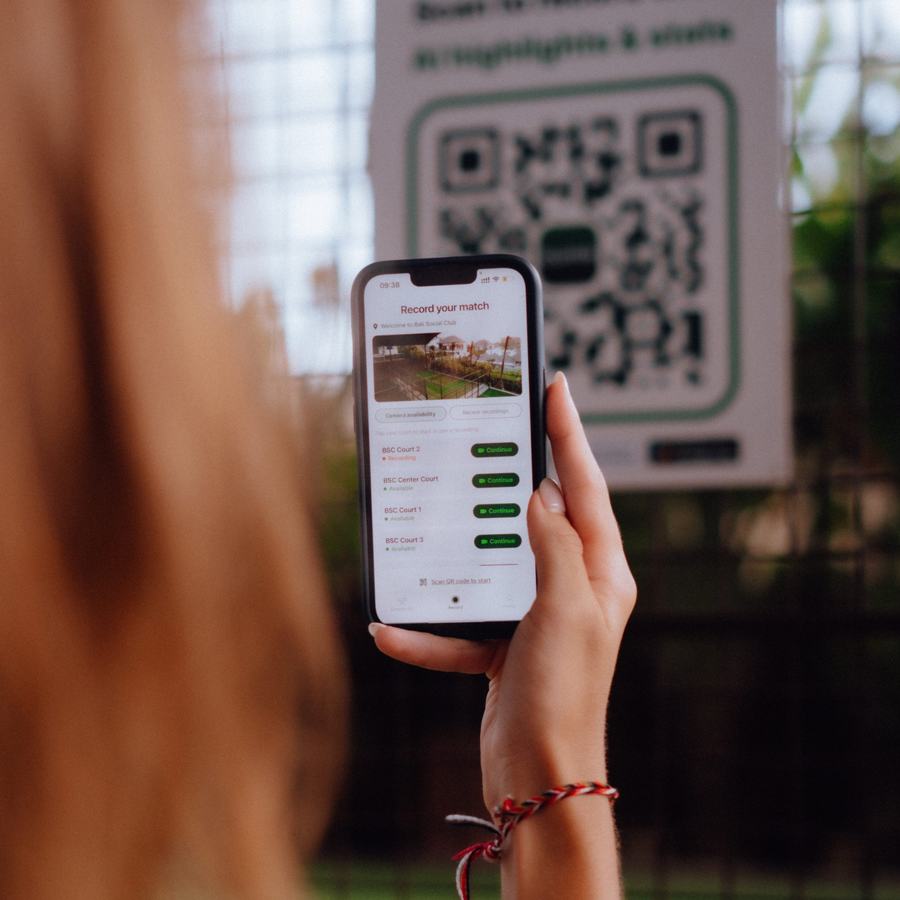
A player scanning the court QR code in the Clutch app to start recording
Before. Scan the court code and play. Nothing else to set up.
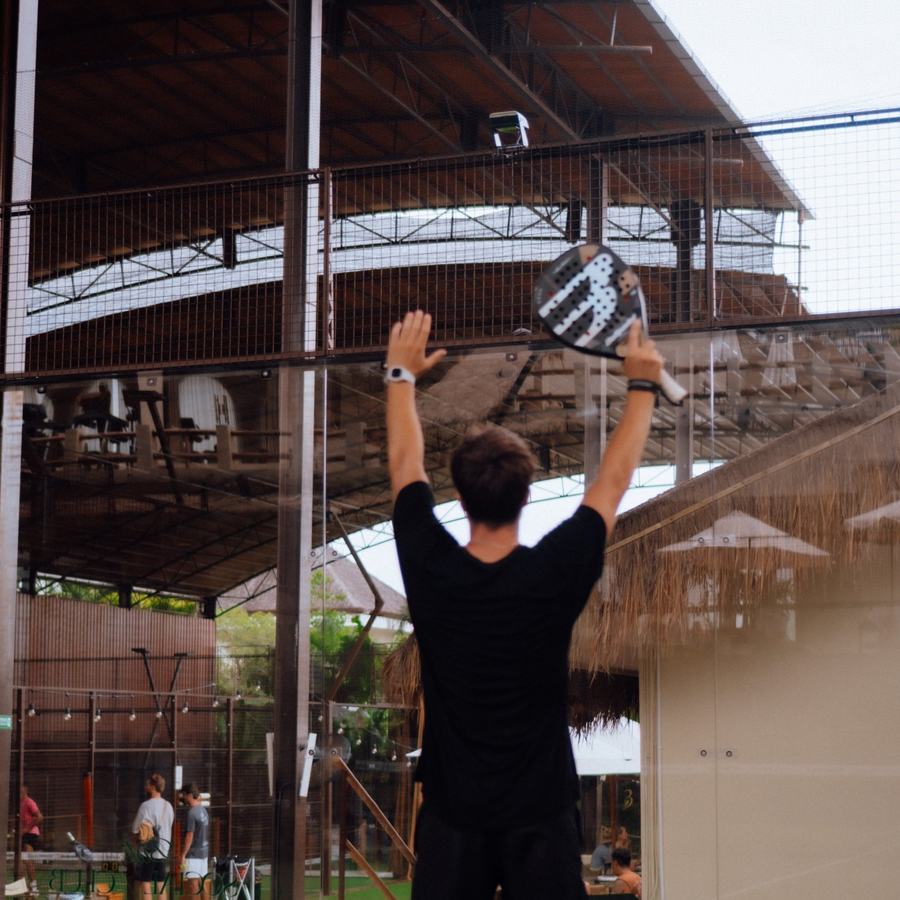
A player raising both arms to the Clutch Cam to save the last rally
During. Every point is recorded on its own. Arms up for two seconds saves a rally on demand.
Players sitting by the net looking at their highlights and stats in the Clutch app minutes after the match
Minutes after. Highlights, stats, AI coaching and the club leaderboard on every player’s phone.
Purpose-built 4K AI camera

Automatic panning follows play across the whole court.

Onboard AI processor (NPU)

Advanced processing directly on the camera hardware.

Built-in memory card

Keeps recording through internet drops while the camera has power.

Weatherproof

Engineered for indoor and outdoor court conditions.

No fisheye distortion

Natural, court-level viewing angle.

Built for what happens after

AI stats, personalized coaching, Clutch Score, leaderboards, community.

Where it leads
  • Every point recorded and clipped with nothing to press; players scan a QR code to start.
  • Match stats, shot detection and a Clutch Score rating from the first recorded match, plus AI coaching tips.
  • Clutch TV puts live score and highlights on the club’s existing TVs; YouTube livestream from any court.
  • One camera per court on a magnetic base, PoE or Wi‑Fi; mounting takes about 5–10 minutes once power and internet are ready, with nothing to wire on the net. Camera included on annual plans.
  • Integrates with Playtomic and Padel Mates, and has an API so clubs can connect their own systems or build their own experiences on top.
Worth knowing
  • Single camera per court: no multi-angle replay like PlaySight’s rigs.
  • Camera-included pricing is on annual plans; monthly plans add a one-time €399 camera hardware fee per court.
  • Plan on ~20 Mbps upload per camera for 4K, or 6 Mbps for 1080p.
€179per court/mo · 1–3 courts · annual
€139per court/mo · 4–9 courts · annual
€129per court/mo · 10+ courts · annual
See Clutch on your courts

Annual plans are billed annually and include the camera, shipping and unlimited storage. Monthly plans are billed monthly at €199 / €159 / €149 per court/month (1–3 / 4–9 / 10+ courts) plus a one-time €399 camera hardware fee per court. No setup fee. Source: clutchapp.io pricing.
Takeaway: the fit for clubs that want the camera to be invisible on court and the app to do the work afterwards: stats, a rating, coaching and a leaderboard that give members a reason to book again.
02

aiball

Best for player-first AI stats, with an objective player level
Automatic highlightsAI stats + recommendationsPlayer level 0–7Livestream not publishedPrice on request

aiball is a Spanish player app with club cameras behind it. Recording starts from the club’s booking system, the AI analyses the footage and each player gets match stats (shot type, speed, accuracy, rally length), an objective player level on a 0–7 scale built from 40+ indicators with coaches including Marcela Ferrari and Ángel González, highlight reels, and AI recommendations on what to work on. It claims the highest stats accuracy on the market, above 95%.

It is the Official AI Supplier to FIP Academy, the International Padel Federation’s academy, works with Premier Padel Academy, is an adidas AI partner, and is in 150+ clubs with 80k+ app downloads. The product is sold to players as much as to clubs; the homepage doesn’t say what a club pays or what camera goes on the court.

Where it leads
  • A 0–7 player level that updates after every match.
  • AI recommendations, not just numbers.
  • Official AI Supplier to FIP Academy; Premier Padel Academy credentials.
Worth knowing
  • Club pricing and camera hardware not published; ask who pays.
  • Livestream, live score and club TV not described.
  • Built around the player’s app; the club-side layer (leaderboards, screens, integrations) is less visible.
Takeaway: a player-side product first. Ask what the club gets, and what it pays, before the player features win the demo.
Clip saving
Automatic highlight reels; summary and extended videos
AI
Match stats, 0–7 player level, AI recommendations
Hardware
Club cameras, recording from the booking; detail not published
Price
On request
Source
aiball.io
03

PlaySight

Best for multi-angle video and coaching
Automatic + buttonMatch analyticsNo rankingsLivestreamQuote only

PlaySight is the long-running SmartCourt platform, built first for tennis and now offered for padel and pickleball. Its signature is the multi-camera install: several angles on one court, with slow motion and a coach’s drawing tool for analysing technique. A GoMobile unit exists for clubs that don’t want a fixed rig.

Players save moments with the TagMe button on court, and the app also generates automatic highlights. Livestreaming is supported at up to 1080p.

Where it leads
  • Multiple camera angles and slow motion per court.
  • Coaching tools: on-video drawing, match analytics.
  • Proven at tennis academies and federations.
Worth knowing
  • Custom installation; more hardware per court than any single-camera system.
  • No personal AI coaching or player rankings described.
  • No published pricing.
Takeaway: a strong fit for academies and coaching-led clubs that want broadcast-style angles, and have the budget for a multi-camera install.
Clip saving
TagMe button on court + automatic highlights
AI
Multi-angle video, slow motion, coach drawing, match analytics
Hardware
Custom multi-camera install or GoMobile unit
Price
Quote only
Source
playsight.com
04

Wingfield

Best for a court-side screen with ratings, rankings and challenges
Automatic + buzzerAI Pro analyticsRatings, rankings, challengesLivestreamQuote only

Wingfield started on tennis courts and is now expanding into padel and pickleball. The anchor is an optional 22-inch touchscreen at the side of the court, paired with tracking and streaming cameras. Highlights are automatic, with an optional buzzer for players who want to mark a moment themselves.

Its AI Pro tier adds shot analytics and drills, and players get ratings, club rankings and challenges. Clutch’s community layer goes further, with friends and rivals, a social feed of highlights and personalized AI coaching, but Wingfield is the closest of the screen-based systems to a player-development product.

Where it leads
  • Automatic highlights with a buzzer as backup.
  • Shot analytics and drills on AI Pro; player ratings, club rankings and challenges.
  • Monthly all-inclusive model.
Worth knowing
  • A court-side screen is extra hardware to install, power and protect.
  • Padel is a newer market for them than tennis.
  • Prices on request; commercial terms vary by club.
Takeaway: a strong fit for clubs that want an on-court screen as part of the experience and are happy to pay for the AI Pro tier to get the stats.
Clip saving
Automatic highlights + optional buzzer
AI
AI Pro shot analytics, drills; player ratings, club rankings, challenges
Hardware
AI streaming camera; optional 22″ court touchscreen; dual tracking camera for stats
Price
On request
Source
wingfield.io/products
05

Spash

Best for a big-screen system built into the glass
Touchscreen~20 tactical statsNo rankingsLivestreamQuote only

Spash’s difference is the screens: two 32-inch touchscreens mounted behind the glass of the court itself (the Double Glass setup), so players start recording, save moments and see scores without leaving the court. It’s French and most visible in European clubs.

The Match Analyzer produces around 20 positioning and tactical statistics per match, more than most systems in this guide publish.

Where it leads
  • Screens in the glass look impressive and are easy to use on court.
  • Match Analyzer with positioning and tactical stats.
  • Scoring on screen plus livestream.
Worth knowing
  • The most hardware of any system here; installation is a project.
  • Players still have to touch a screen to save a moment.
  • No published pricing.
Takeaway: a strong fit for flagship venues that want the court itself to feel high-tech, and can plan a proper install.
Clip saving
Two 32″ touchscreens behind the court glass
AI
Match Analyzer, ~20 positioning and tactical stats
Hardware
Cameras + two 32″ touchscreens (Double Glass)
Price
Quote only
Source
spash.com
06

Grábala

Best for button replay with a club TV and sponsors
Buttons, unlimitedG-Score onlyNo rankingsLivestreamCustom plan

Grábala calls itself a video platform rather than a camera, and the pitch is to the club’s marketing as much as to players. Each court gets a 3K/4K camera, two buttons and a server; players press to save a play, with no cap on presses or credits. The club’s TV becomes a replay screen, a VAR and a live scoreboard that players join with a code on the remote, and sponsors can be placed inside the videos.

It’s on 170+ courts, mostly in Mexico, from single clubs to chains, with a 30-day setup promise and a custom plan per club.

Where it leads
  • Unlimited button presses, no packs or caps.
  • Club TV with VAR and scoreboard included in the subscription.
  • In-video sponsor placements and livestreaming for the club to monetise.
Worth knowing
  • Highlights depend on a player pressing a button; nothing is detected automatically.
  • Camera, buttons and a server per court, installed in under 30 days.
  • No match stats, coaching or rating described; price on request.
Takeaway: a strong fit for clubs in Latin America that want replays on the lounge TV and a sponsor product, and don’t need the camera to coach anyone.
Clip saving
Two buttons per court, unlimited presses
AI
G-Score; no stats or coaching described
Hardware
3K/4K camera + 2 buttons + server per court; Grábala TV
Price
Custom plan
by court count and setup; on request
Source
grabala.app
07

PUSHIT

Best for press-to-save replay with published prices
ButtonNo statsNo rankingsLivestream (Classic+)€89–€199/court/mo

PUSHIT does one thing deliberately: press a button and the last rally is saved as a shareable clip. The button lives on the net or post, and the same trigger works from a phone or smartwatch. SmartCrop ball tracking trims clips into vertical format for social.

There are no stats, coaching or rankings. That’s the trade: the simplest player experience, and nothing that happens after the match.

Where it leads
  • Nothing to learn: press, and the clip exists.
  • Vertical clips ready for Instagram and TikTok.
  • Clubhouse TV display included in the concept.
Worth knowing
  • If nobody presses, the point is gone.
  • No AI stats, coaching or player rankings.
  • €89 Basic, €99 Classic, €199 Pro per court per month, 10% off yearly; cameras and install on top.
Takeaway: a strong fit for clubs whose goal is social content and replays on the lounge TV, with no ambition to use the camera for player development.
Clip saving
Button on net or post, smartphone, or smartwatch
AI
SmartCrop ball tracking for vertical clips; no stats or coaching
Hardware
1–2 cameras per court, technician-installed; buttons; PUSHITV screen
Price
€89–€199 per court/mo
Basic €89 · Classic €99 · Pro €199
Source
pushitreplays.com
08

MATCHi TV

Best for player-activated streaming at the lowest published price
Streaming firstAI highlights via SportAINo rankingsLivestreamPrice published

MATCHi TV is a streaming platform for racket sports from the MATCHi booking company, strongest in the Nordics. Players scan a QR code at the court to start a stream, which is saved to their matchi.tv account to watch later. Clubs can buy a camera or connect one they already own.

AI highlights are an opt-in add-on powered by SportAI. Three coaching licences, a studio tool for scheduled streams and an Arena mode for the venue’s big screen are included.

Where it leads
  • From €25 per court per month using your own camera.
  • Players can activate a livestream of their match; pay-per-view and sponsor overlays for events.
  • Natural fit for clubs already on MATCHi bookings.
Worth knowing
  • Built for streaming; highlights and stats are partner add-ons.
  • How a player saves a specific moment is not stated on the vendor site.
  • Buy plan adds an upfront camera cost; terms of 12 or 24 months or unbound.
Takeaway: the lowest published entry price for cameras on every court, best for Nordic clubs on MATCHi who want streaming more than stats.
Clip saving
Stream saved to player account; moment trigger not published
AI
AI highlights via SportAI (opt-in); stats via partner
Hardware
Own IP camera or MATCHi-supplied camera, PoE
Price
From €25 per court/mo
own-camera plan; buy plan adds camera cost
Source
matchi.tv
09

Beelup

Best for basic recording with access control
Player cuts own clipsNo statsNo rankingsNo livestreamQuote only

Beelup is a web app from Buenos Aires that records matches on padel, tennis, football and basketball courts in 18 countries. A fixed camera kit is installed by a Beelup installer (about a day for four cameras), one camera per padel court, and the match appears on beelup.com ten minutes after it ends. Players scrub through, cut highlights of up to a minute and share them by link.

Clubs can set passwords and blocking schedules per court, which answers the privacy question many systems don’t. Videos stay online for seven days; the full match can’t be downloaded.

Where it leads
  • Only 4 Mbps upload per camera.
  • Per-court access control and blocking schedules.
  • Multi-sport, so a club with football pitches can run one system.
Worth knowing
  • No livestream, no TV mode, no stats or coaching; players find their own moments.
  • Seven-day retention; download highlights or they’re gone.
  • If a camera fails the club calls the installer; price on request.
Takeaway: the basic level done sensibly: matches exist, players can grab a clip, access is controlled. A fit for multi-sport venues in Latin America that want recording, not a platform.
Clip saving
Player browses the match and cuts a highlight (max 1 min)
AI
Automatic processing; no stats or coaching
Hardware
Smart camera kit, one per padel court, installer-fitted
Price
Quote only
Source
beelup.com
10

ReplayMe

Best for replay and livestream, popular in Brazil
Trigger not publishedReplays for playersNo rankingsLivestreamQuote only

ReplayMe is a Brazil-based replay and livestream service delivered through an app. Players can access their recordings and replays in the app, and clubs get analytics about usage. How a specific moment is triggered isn’t stated on the site, and ReplayMe doesn’t publicly advertise the same depth of player-level AI statistics and coaching as Clutch.

If your club is in Brazil and the priority is streaming, it belongs on the shortlist. Elsewhere there isn’t enough published to compare it feature-for-feature.

Where it leads
  • App-based replay with livestream.
  • Established in the Brazilian market.
Worth knowing
  • No published detail on how clips are saved or on hardware terms.
  • Player-level AI stats and coaching not publicly advertised in depth.
  • No published pricing.
Takeaway: worth a look for Brazilian clubs that want streaming first; ask for everything else in writing.
Clip saving
In-app replay access; moment trigger not published
AI
Club analytics; player-level AI stats not publicly advertised
Hardware
Court cameras; ownership terms not published
Price
Quote only
Source
replayme.io
Before you buy

Before you sign

The answers that change the price, or the experience, after year one.

  1. What’s the all-in year-one cost, and who pays?Software, cameras, screens or kiosks, mounts, cabling, installation and travel, in one number. And whether players are charged for anything on top.
  2. How does a clip reach a player’s phone, and how long is it kept?Automatic or on-demand, and the retention window. 30 days and 12 months are very different products.
  3. What does a member get after the match?Just the clip, or stats, ratings and coaching. This is where retention is won or lost.
  4. What upload speed is needed per court, and what happens if the internet drops?Ask for a Mbps figure per camera and whether recording continues offline.
  5. What renews after year one, and what notice is needed to cancel?Minimum terms, auto-renewal, and whether rented hardware has to be returned.
  6. Who can see the videos, and can a player make theirs private?Default visibility, deletion, storage location and retention. Check it against the privacy law where your club is.
  7. How long until a player gets their clip or stats?Minutes or hours. Ask whether the AI runs in real time on the camera or waits for an upload and a queue, and test it on a demo court before you believe the answer.
  8. Do you have testimonials, and can I talk to a club?Some new systems promise a lot and don’t yet have the product they describe. Everything on this list we’ve seen at a conference, tested, or used live, but ask any vendor for clubs you can talk to, then ask those clubs what broke and how fast it was fixed.
Questions

Common questions

Which padel camera system is right for my club?

It depends on what you want the camera to do. Button and recording systems such as PUSHIT, Grábala and MATCHi TV suit clubs that mainly want replays or streams at a low price. Clutch suits clubs that want a complete platform: 4K recording, automatic AI highlights, match stats, AI coaching, a player rating, leaderboards, community features and Clutch TV, with the camera included on annual plans.

Do padel players need to press a button to save a replay?

It depends on the system. PUSHIT and Grábala use buttons, Spash uses touchscreens behind the glass, Beelup lets players cut their own clips afterwards, and Clutch saves highlights automatically, with a gesture as an option.

How much does a padel court camera cost?

Published prices run from about €25 per court per month (MATCHi TV, own camera), through €129 to €179 per court per month for Clutch on annual plans with the camera included (€149 to €199 on monthly plans plus a one-time €399 hardware fee per court), up to €199 per court per month on PUSHIT’s Pro plan before hardware. aiball, PlaySight, Wingfield, Spash, Grábala, Beelup and ReplayMe quote on request, and multi-camera or glass-screen installs are the most expensive.

Can padel clubs livestream to YouTube?

Most can, including PlaySight, Spash, Wingfield and Grábala; Beelup doesn’t. Clutch livestreams to YouTube from any court and shows live scores and highlights on club TVs through Clutch TV.

What internet does a padel camera need?

For Clutch, plan on about 20 Mbps upload per camera for 4K or 6 Mbps for 1080p. Ask every vendor for its own figure, and what happens to the recording if the connection drops.

What’s the difference between a padel camera and a security camera?

A security camera records continuously and that’s it. A padel camera system finds the moments inside that footage (a point, a smash, a rally) and delivers them to a player’s phone, often with stats on top. The hardware can look similar; the software is the product.

Sources

Sources

Written by Clutch, which makes one of the ten systems compared. Facts about the others are from their own websites, checked 6–10 November 2026 and linked below; where a site doesn’t say, we say “not published”. Prices and features change, so confirm with the vendor before you buy. Names and logos belong to their owners. Spotted a mistake? info@clutchapp.io and we’ll fix it.

Guides · Cameras · Padel

More guides

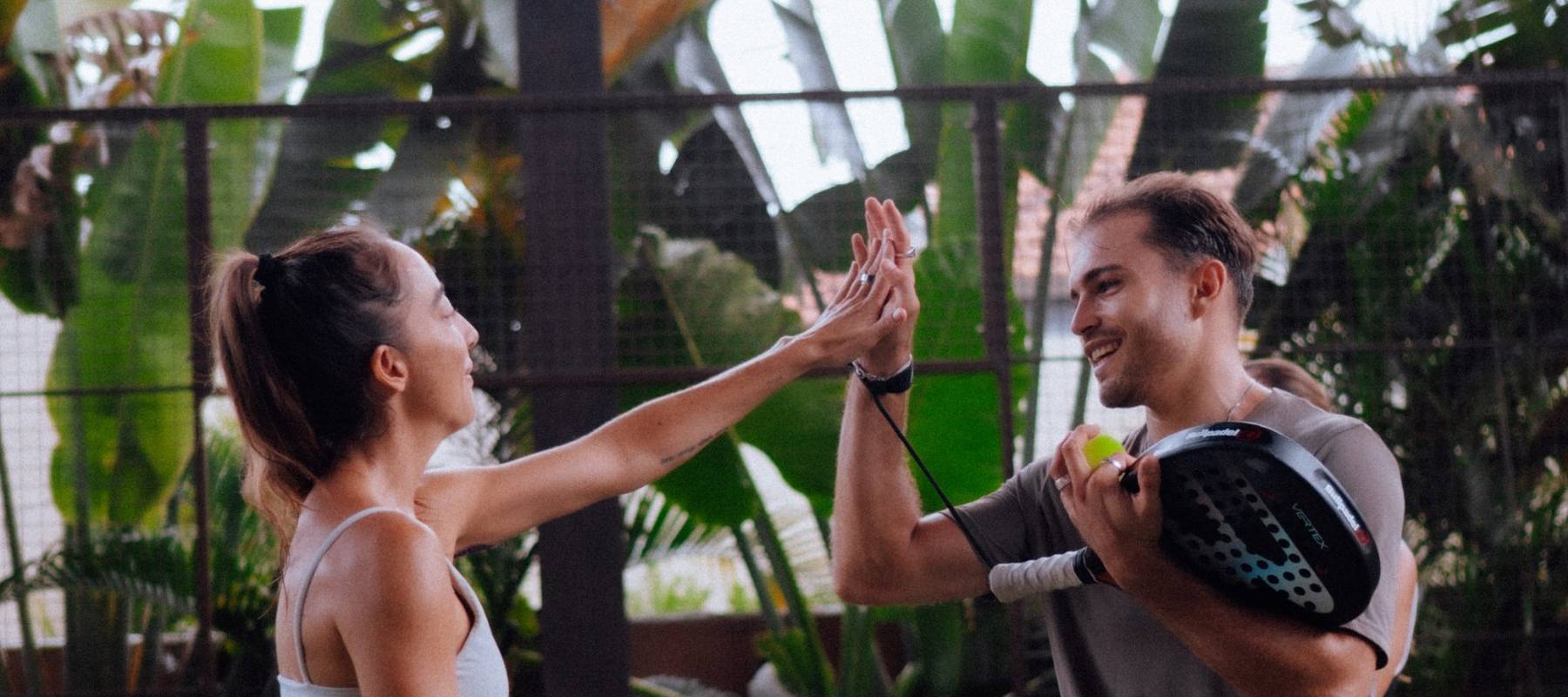
Two players high-fiving over the net after a point
See it on your courts

Better data. Better game.

A 20-minute walkthrough with your court count and real pricing. No slides, just the player app and the dashboard.